A good prompt needs to be detailed and specific. A good process is to look through a list of keyword categories and decide whether you want to use any of them.
The keyword categories are
- Subject
- Medium
- Style
- Artist
- Camera
- Resolution
- Modifiers
- Color
- Lighting
You don’t have to include keywords from all categories. Treat them as a checklist to remind you what could be used.
Let’s review each category and generate some images by adding keywords from each. I will use the v1.5 base model. To see the effect of the prompt alone, I won’t be using negative prompts for now. Don’t worry, we will study negative prompts in the later part of this article. All images are generated with 30 steps of DPM++ 2M Karras sampler and an image size 512×704.
Subject
The subject is what you want to see in the image. A common mistake is not writing enough about the subjects.
Let’s say we want to generate a sorceress casting magic. A newbie may just write
A sorceress
That leaves too much room for imagination. How do you want the sorceress to look? Any words describing her that would narrow down her image? What does she wear? What kind of magic is she casting? Is she standing, running, or floating in the air? What’s the background scene?
Stable Diffusion cannot read our minds. We have to say exactly what we want.
A common trick for human subjects is to use celebrity names. They have a strong effect and are an excellent way to control the subject’s appearance. However, be aware that these names may change not only the face but also the pose and something else. I will defer this topic to a later part of this article.
As a demo, let’s cast the sorceress to look like Emma Watson, the most used keyword in Stable Diffusion. Let’s say she is powerful and mysterious and uses lightning magic. We want her outfit to be very detailed so she would look interesting.
Emma Watson as a powerful mysterious sorceress, casting lightning magic, detailed clothing
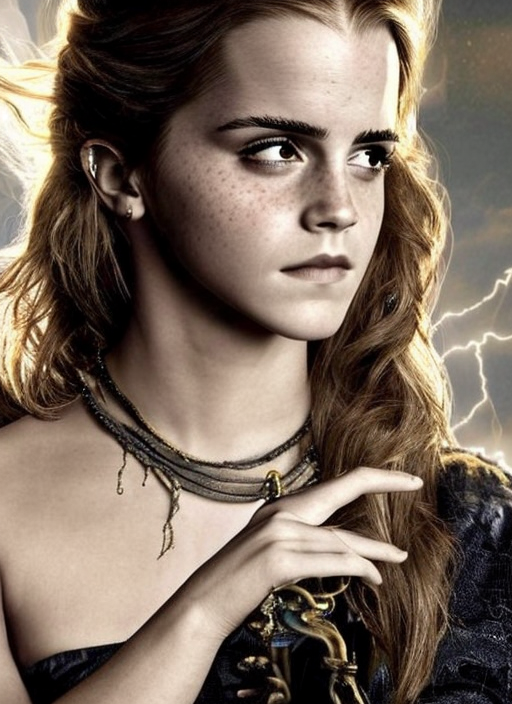
We get Emma Watson 11 out of 10 times. Her name is such a strong effect on the model. I think she’s popular among Stable Diffusion users because she looks decent, young, and consistent across a wide range of scenes. Trust me, we cannot say the same for all actresses, especially the ones who have been active in the 90s or earlier…
Medium
Medium is the material used to make artwork. Some examples are illustration, oil painting, 3D rendering, and photography. Medium has a strong effect because one keyword alone can dramatically change the style.
Let’s add the keyword digital painting.
Emma Watson as a powerful mysterious sorceress, casting lightning magic, detailed clothing, digital painting
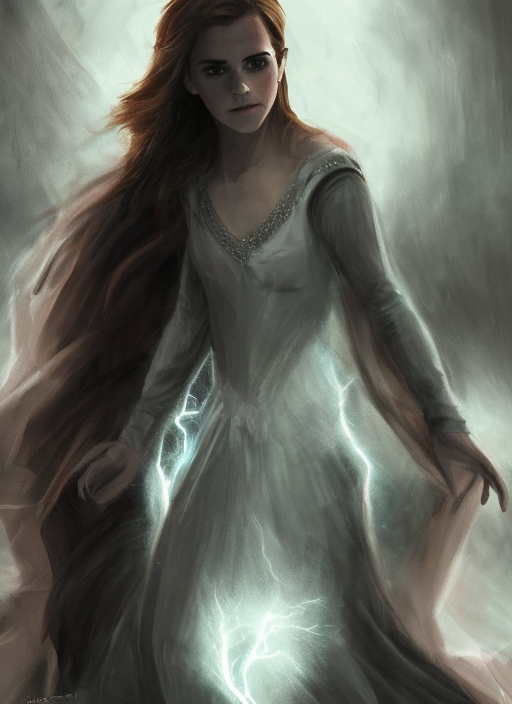
We see what we expected! The images changed from photographs to digital paintings. So far so good. I think we can stop here. Just kidding.
Style
The style refers to the artistic style of the image. Examples include impressionist, surrealist, pop art, etc.
Let’s add hyperrealistic, fantasy, surrealist, full body to the prompt.
Emma Watson as a powerful mysterious sorceress, casting lightning magic, detailed clothing, digital painting, hyperrealistic, fantasy, Surrealist, full body
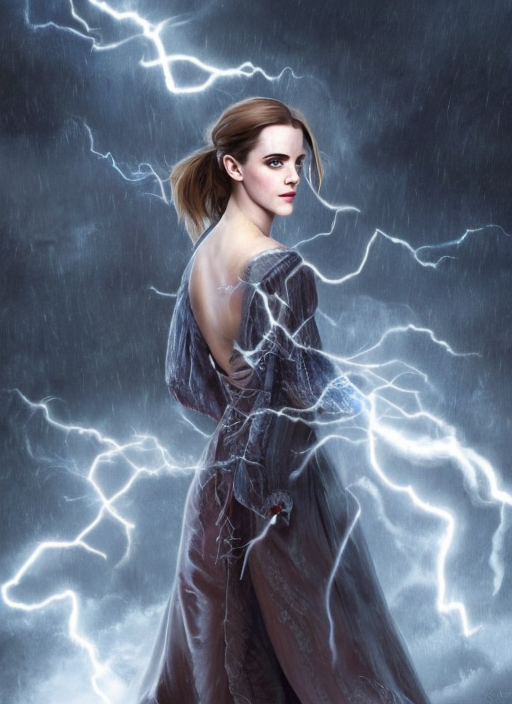
Mmm… not sure if they have added much. Perhaps these keywords were already implied by the previous ones. But I guess it doesn’t hurt to keep it.
Artist
Artist names are strong modifiers. They allow you to dial in the exact style using a particular artist as a reference. It is also common to use multiple artist names to blend their styles. Now let’s add Stanley Artgerm Lau, a superhero comic artist, and Alphonse Mucha, a portrait painter in the 19th century.
Emma Watson as a powerful mysterious sorceress, casting lightning magic, detailed clothing, digital painting, hyperrealistic, fantasy, Surrealist, full body, by Stanley Artgerm Lau and Alphonse Mucha
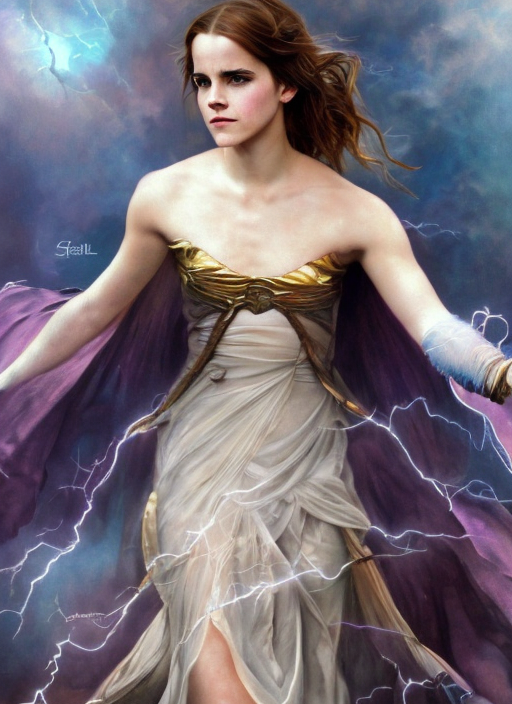
We can see the styles of both artists blending in and taking effect nicely.
Camera
Extreme Wide Shot (ELS)
Long Shot (LS)
Wide Shot (WS)
Full Shot (FS)
Medium Long Shot (MLS)
Medium Wide Shot (MWS)
Cowboy Shot
Medium Shot (MS)
Medium Close Up (MCU)
Close Up (CU)
Extreme Close Up (ECU)
Establishing Shot
Rack Focus
Focus Pull
Shallow Focus
Deep Focus
Tilt-Shift
Soft Focus
Split Diopter
Eye Level Shot
Low Angle Shot
High Angle Shot
Hip Level Shot
Knee Level Shot
Ground Level Shot
Shoulder-Level Shot
Dutch Angle Shot
Birds-Eye-View Shot
Overhead Shot
Aerial Shot
Helicopter Shot
Worms Eye View
Dolly Shot
Zoom Shot
Dolly Zoom Shot
Pan Shot
Tilt Shot
Whip Pan Shot
Whip Tilt Shot
Tracking Shot
Crab Shot
Arc Shot Sticks
Tripod Slider Shot
Handheld Shot
Steadicam Shot
Gimbal Shot
Crane Shot
Drone Shot
Resolution
Resolution represents how sharp and detailed the image is. Let’s add keywords highly detailed and sharp focus.
Emma Watson as a powerful mysterious sorceress, casting lightning magic, detailed clothing, digital painting, hyperrealistic, fantasy, Surrealist, full body, by Stanley Artgerm Lau and Alphonse Mucha, artstation, highly detailed, sharp focus
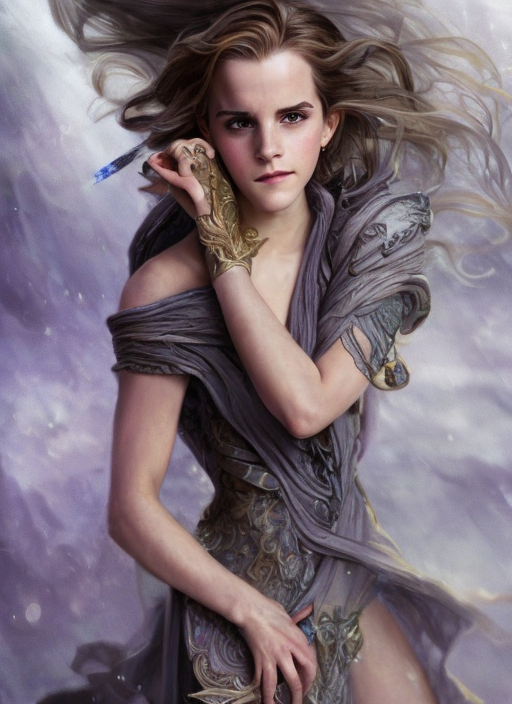
Well, not a huge effect perhaps because the previous images are already pretty sharp and detailed. But it doesn’t hurt to add.
Modifiers
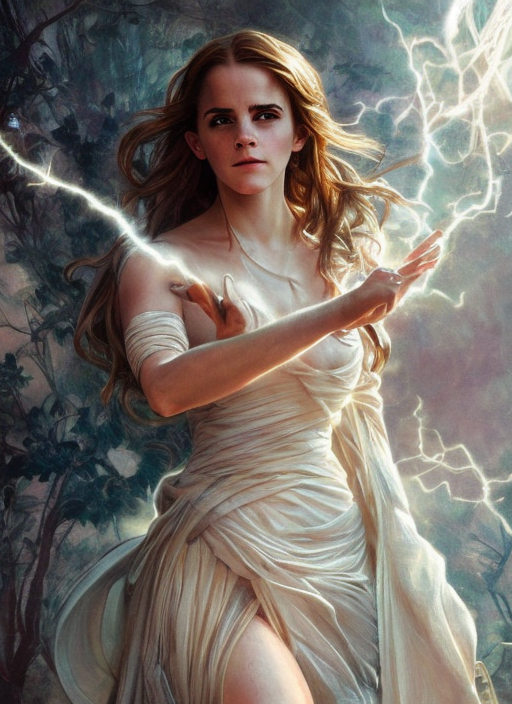
Modifiers are sweeteners added to modify an image. We will add sci-fi, stunningly beautiful and dystopian to add some vibe to the image.
Emma Watson as a powerful mysterious sorceress, casting lightning magic, detailed clothing, digital painting, hyperrealistic, fantasy, Surrealist, full body, by Stanley Artgerm Lau and Alphonse Mucha, artstation, highly detailed, sharp focus, sci-fi, stunningly beautiful, dystopian
Color
You can control the overall color of the image by adding color keywords. The colors you specified may appear as a tone or in objects.
Let’s add some golden color to the image with the keyword iridescent gold.
Emma Watson as a powerful mysterious sorceress, casting lightning magic, detailed clothing, digital painting, hyperrealistic, fantasy, Surrealist, full body, by Stanley Artgerm Lau and Alphonse Mucha, artstation, highly detailed, sharp focus, sci-fi, stunningly beautiful, dystopian, iridescent gold
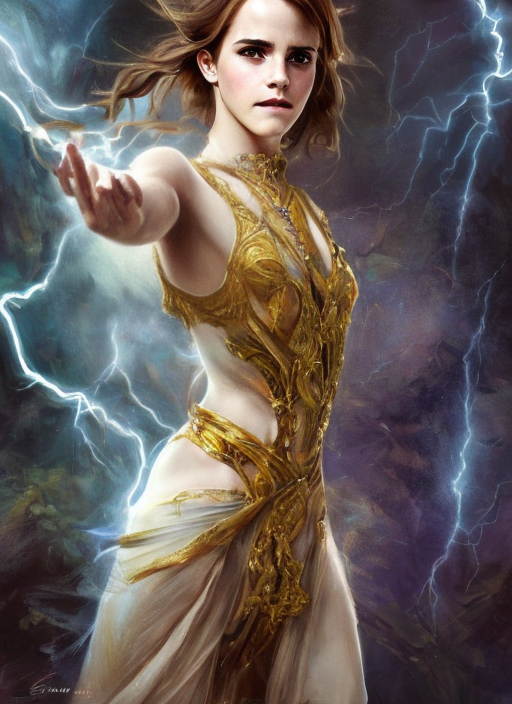
The gold comes out great!
Lighting
Any photographer would tell you lighting is a key factor in creating successful images. Lighting keywords can have a huge effect on how the image looks. Let’s add cinematic lighting and dark to the prompt.
Emma Watson as a powerful mysterious sorceress, casting lightning magic, detailed clothing, digital painting, hyperrealistic, fantasy, Surrealist, full body, by Stanley Artgerm Lau and Alphonse Mucha, artstation, highly detailed, sharp focus, sci-fi, stunningly beautiful, dystopian, iridescent gold, cinematic lighting, dark
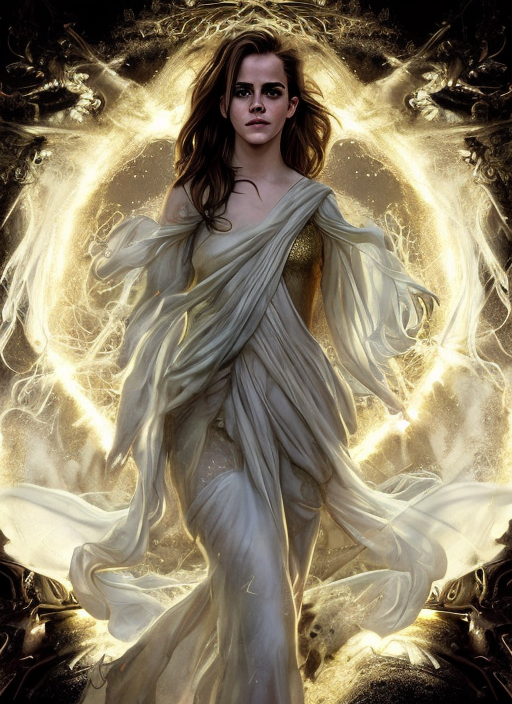
This complete our example prompt.
Remarks
As you may have notice, the images are already pretty good with a few keywords added to the subject. When it comes to building a prompt for Stable Diffusion, often you don’t need to have many keywords to get good images.
Negative prompt
Using negative prompts is another great way to steer the image, but instead of putting in what you want, you put in what you don’t want. They don’t need to be objects. They can also be styles and unwanted attributes. (e.g. ugly, deformed)
Using negative prompts is a must for v2 models. Without it, the images would look far inferior to v1’s. They are optional for v1 models, but I routinely use them because they either help or don’t hurt.
I will use a universal negative prompt.
ugly, tiling, poorly drawn hands, poorly drawn feet, poorly drawn face, out of frame, extra limbs, disfigured, deformed, body out of frame, bad anatomy, watermark, signature, cut off, low contrast, underexposed, overexposed, bad art, beginner, amateur, distorted face, blurry, draft, grainy
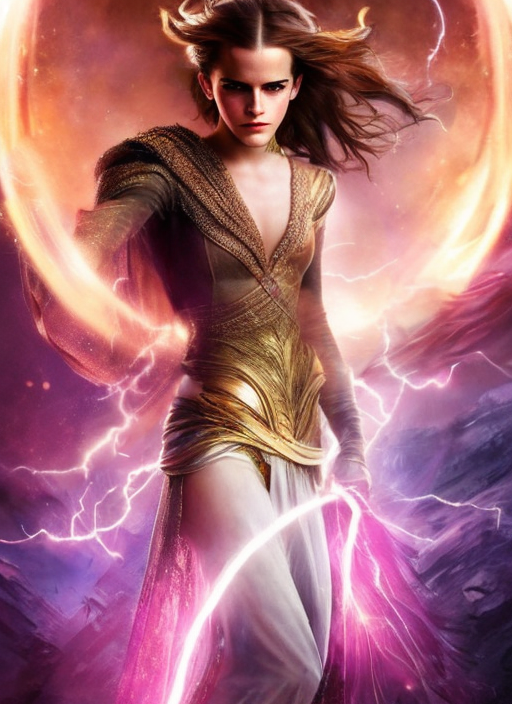
The negative prompt helped the images to pop out more, making them less flat.